
How to structure headings for SEO comes down to one outline that serves three readers at once: a search engine parsing your page, a screen reader user jumping between sections, and a person skimming on a phone. Get those three aligned and the rest of your on-page work gets easier. One H1 that names the topic, H2s for the main sections, H3s for subsections, and no skipped levels.
Most heading problems I see are not clever or technical. They are a page that has four H1s because a template added one, an H2 that says “Overview” and tells you nothing, or a jump from H2 straight to H4 because someone wanted smaller text.
This guide covers the whole process: what to gather before you start, the seven-step sequence for building the hierarchy, how to fix what your page builder breaks, and how to audit a finished page in three passes. I checked the guidance against what Google and the major SEO tools say as of 2026, and the practical advice against the questions that come up most in SEO forums, where the recurring theme is that heading order is treated as decoration until a redesign exposes it.
Table of Contents
- What You Need
- Step-by-Step: How to Structure Headings for SEO
- Step 1: Write the outline before you write the H1
- Step 2: Write one H1 that names the page topic
- Step 3: Add H2s for main sections
- Step 4: Add H3s only where a section has real subsections
- Step 5: Put the answer directly under each heading
- Step 6: Use the keyword in headings without stuffing them
- Step 7: Audit the finished page in three passes
- Common Mistakes
- Frequently Asked Questions
What You Need

You do not need a plugin to do this properly. You need five pieces of information and, ideally, one way to see the finished outline.
The five things to write down before you open your editor
The page topic in one sentence. If you cannot write that sentence, the H1 will not write itself either. Something like “how to structure headings for SEO” beats “A Complete Guide” every time, because the sentence is what the rest of the outline has to hang on.
The search intent behind that topic. Look at the actual results on page one. Are they tutorials, definitions, comparisons or tools? If the top five are all definitions, a 2000-word step-by-step tutorial will not match what the searcher wanted, no matter how good the headings are.
Your primary keyword and a handful of related terms. Two or three secondary phrases is plenty. Bing groups related terms tightly, so “heading hierarchy”, “H2 and H3 tags” and “subheading structure” give you plenty of natural phrasing to work with.
The reader’s actual questions. This is the part most people skip and the part that pays off hardest. People also ask boxes, autocomplete suggestions and the comments under competing articles all hand you real questions. Each one is a candidate H2.
A rough outline in plain text. A bulleted list in a notebook counts. Ten minutes of writing the section order now saves an hour of renumbering headings later.
The two tools worth having open while you work
A way to see the page outline. In WordPress the block editor has a document outline panel on the left that lists every heading in order, which makes a skipped level obvious the moment you create it. If you are on a custom build, the free W3C Nu HTML Checker flags structural problems in the page source.
A way to read the page without seeing it. Turn on a screen reader on your phone for two minutes, or use the accessibility tree view in your browser’s developer tools. If the headings do not read as a sensible list of sections, neither will anyone else scanning the page.
That combination is genuinely enough. Where a third-party SEO suite is available, its heading report is a useful sweep across a whole site, but do not confuse a green score with correct semantics — most tools check order, not whether the heading text is any good.
Step-by-Step: How to Structure Headings for SEO
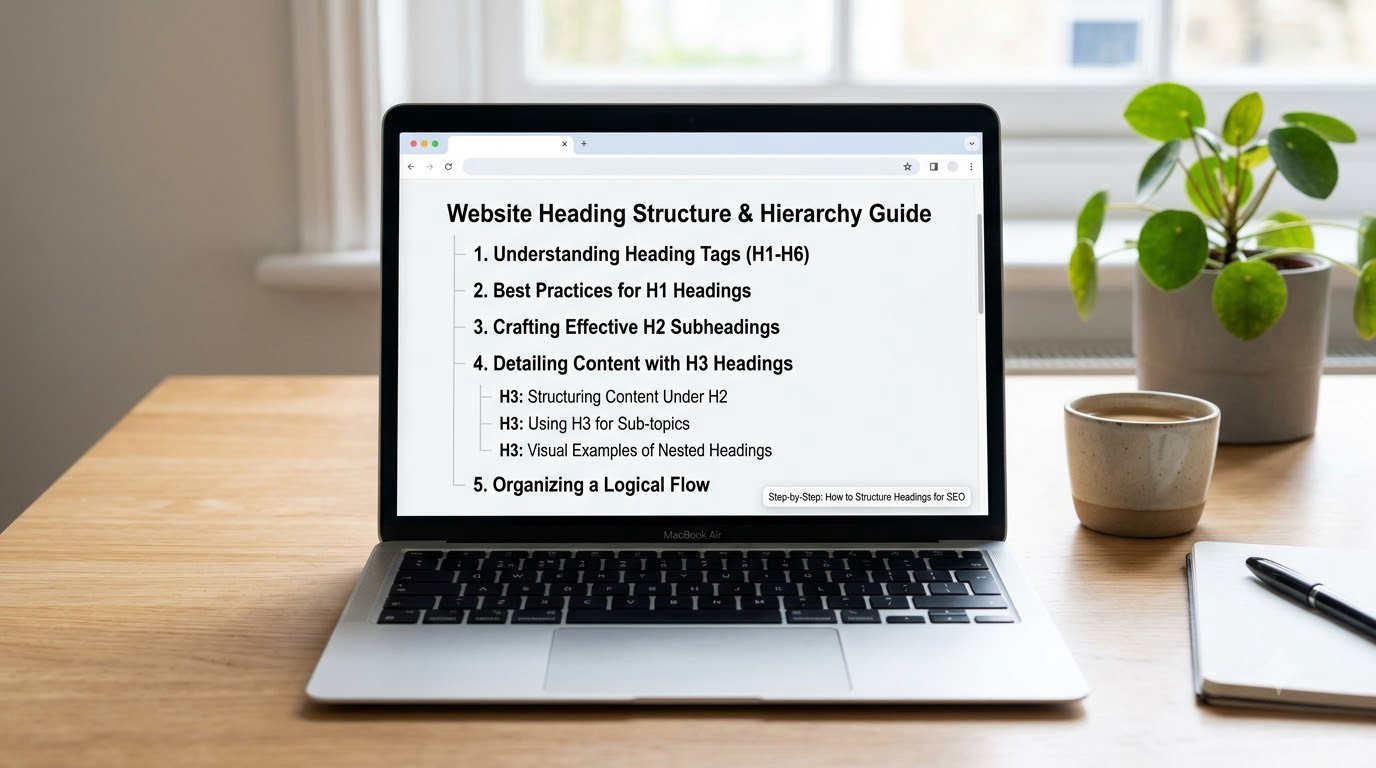
Seven steps, in this order. The outline comes before the H1 because the H1 is a summary of the outline, not the other way round.
Step 1: Write the outline before you write the H1
List your reader’s questions in the order they would naturally be asked. Group related questions under a section name. That grouping is your H2 list, and each individual question is a candidate H3.
A typical outline for a guide like this one looks like this:
- What headings are and why the order matters
- How to build the hierarchy step by step
- How to add headings in WordPress and Shopify
- How to check heading order on a finished page
- Common mistakes and their fixes
Notice that none of those lines are keywords. They are answers. Keywords come in step 6, once the outline is solid.
Step 2: Write one H1 that names the page topic
Use a single H1 for the main topic of the page. It should describe what the reader will get, and it should be unique across your site. Aim for clarity rather than a strict character count — roughly 50 to 70 characters means it usually survives on a search results page without being cut mid-phrase.
Keep three things separate, because they are constantly confused. The title tag is what appears in the search result and lives in the page head. The meta title is the same thing written differently by editors who want a different phrasing for ads or social. The H1 is the visible heading on the page itself. And the <header> element is a layout wrapper that contains content, not a heading at all. Google has said more than once that several H1s are not a technical error, but they still make the page ambiguous, and they read badly to assistive technology.
Step 3: Add H2s for main sections
Each H2 marks a top-level section of the page. The test is simple: if you deleted it, would the page lose a distinct chunk of meaning? If yes, it earns an H2. If it only introduces a couple of sentences, it is probably an H3 or just a bold lead-in.
Good H2s answer a real search. “How many H1 headings should a page have?” is something people type. “Things to know” is not.
Step 4: Add H3s only where a section has real subsections
An H3 belongs under an H2 and describes a piece of it. If your H2 has no internal structure, leave it alone. A heading level that does not describe a real layer of the outline is noise, and noise costs you a little clarity every time.
Here is a correct structure:
<h1>How to structure headings for SEO</h1>

<h2>What You Need</h2>
<p>Body copy for this section.</p>

<h2>Step-by-Step: How to structure headings for SEO</h2>
<h3>Step 1: Write the outline first</h3>
<p>Body copy for step one.</p>
<h3>Step 2: Write one H1</h3>
<p>Body copy for step two.</p>
</code>
And here is the same page done badly, with two H1s, a jump from H2 to H4, and a duplicate:
<h1>How to Structure Headings</h1>
<h1>Complete SEO Guide</h1>

<h2>What You Need</h2>

<h4>Step 1: Write the outline first</h4>
<h3>Step 2: Write one H1</h3>

<h2>What You Need</h2>
</code>
Skipping a level does not break your rankings. It does break the outline that a screen reader, a snippet extractor and an AI retrieval system rely on to work out which sentences belong to which subtopic.
Step 5: Put the answer directly under each heading
Write the first sentence after a heading as a complete answer to that heading, then add detail. This is the highest-return habit in the whole process, because it is what makes a section quotable on its own.
Search engines can lift a passage out of a page and show it as a featured snippet. AI answer systems do the same thing at a larger scale, chunking a page by its headings and pulling the section that matches the question. Either way, a section that opens with a definition or a direct answer is easier to lift than one that opens with background.
Forty to seventy words of direct answer under each heading is a workable target. After that, slow down and explain. People who want the short version have already got it; the rest of the paragraph is there for the people who need it.
Step 6: Use the keyword in headings without stuffing them
Put your primary keyword in the H1 and naturally in two or three H2s. Do not force it into every single one. Repetition reads badly, and headings are read by humans before they are read by crawlers.
The useful test is whether the heading would still make sense to someone who has never heard your keyword. “Step 6: Use keywords in headings without keyword stuffing” is fine. “Step 6: How to Structure Headings for SEO with Heading Tags” is not.
Aim for roughly 250 to 350 words of body copy per H2. That is a rule of thumb for pacing, not a ranking factor, and it does more for a reader's patience than any keyword placement. If a section runs past 500 words without a break, it usually wants an H3.
Step 7: Audit the finished page in three passes
Outline pass. Open the document outline panel or read the page source top to bottom. Look for two H1s, any skipped level, any level that goes backwards, and any duplicate heading text.
Validator pass. Run the page through the W3C Nu HTML Checker. It catches unclosed tags and structural oddities that the outline panel quietly ignores.
Reader pass. Read only the headings in order, then skim the first sentence under each. That is roughly how most people arrive. If the sequence does not tell a coherent story, the page does not work yet.
In WordPress, headings are added from the “Heading” option in the block toolbar, where you pick the level directly rather than styling text to look bigger. Shopify's editor works the same way. In a page builder, check the section titles it generates, because they often become H2 or H3 tags by default whether you intend them to or not.
Common Mistakes
These five account for nearly every broken heading structure I have audited, and each has a straightforward correction.
Skipping a level or going backwards
Going from H2 to H4, or from H3 back up to H2 mid-page, breaks the outline. The fix is mechanical: promote the heading to the next level up, or add the missing level as a real section heading with content under it.
One forum pattern worth knowing about: a modal or hidden panel anchored at the bottom of a page can push an H2 above the H1 in source order. Fix it in the markup so the main content reads first, rather than hoping the visual order saves you.
Using headings for styling
Someone wanted a line of text to look larger, so they turned it into a heading. Font size is a CSS decision, not a semantic one. Styling an H3 bigger does not hurt your SEO, and styling body copy as a heading does help nobody.
The correction: use CSS for size and weight, and reserve heading tags for structure. If a page has fifteen H2s because each promo banner was made one, the outline is decoration, not architecture.
Keyword stuffing headings
Headings that repeat the same phrase read as spam to a person and add nothing to a crawler that has already seen the phrase five times in the body. Keep the keyword where it sounds natural: the H1, one or two H2s, and the conclusion.
Vague or duplicated headings
“Overview”, “Details” and “More” are the most common weak headings on the web. They give a scanner nothing to hold on to and force them to read the whole section to find out what it covers.
Repeating the identical H2 later in the same page is allowed but rarely useful. Make the second one specific, or fold it into the first. For footer headings, forum discussions land on a practical split: treat them as a separate structure and keep them out of the main content outline, so they do not pollute the sections of the page you actually wrote.
An outline that ignores search intent
This is the mistake with no technical fix. If your headings describe what your page contains rather than what the searcher typed, the page is hard to match to a query no matter how clean the levels are.
Compare your H2 list against the questions in the People Also Ask box. Where a real question is missing from your outline, either answer it in an existing section or drop the section that was padding the word count. The 80/20 heuristic people repeat in SEO circles applies neatly here: roughly 80% of your heading effort should go into clear hierarchy and honest section titles, and the last 20% into keyword phrasing. Inverting that ratio is how pages end up with perfect tags and no traffic.
Frequently Asked Questions
How many H1 headings should a page have?
Use one H1 per page, placed at the top, describing the main topic in plain language. Google has said that multiple H1s are not a technical error, so you will not be penalised, but a second H1 usually means your theme or page builder added one you did not intend. Screen reader users get a muddled outline when a page has several competing H1s, so one is still the better habit.
Should every H2 contain the focus keyword?
No. Put your primary keyword in the H1 and let it appear naturally in two or three H2s. Forcing it into every heading reads badly and helps nobody, because crawlers already have the phrase from the body copy. Write each heading for a person scanning the page, then check that the keyword appears somewhere in the hierarchy without any heading sounding padded.
What is the difference between H2 and H3 headings?
An H2 marks a main section of the page. An H3 marks a subsection inside one of those H2s. The practical difference is nesting, not size: an H3 always sits under an H2 and describes a piece of it. If a section has no internal structure, it does not need H3s. Using levels this way keeps the outline readable for screen readers and for search engines pulling out individual passages.
How long should an SEO heading be?
Keep H1s around 50 to 70 characters and H2s under about 60 so they are unlikely to be cut off in search results. That is a display guideline, not a ranking factor, and clarity matters more than the count. A short specific heading that describes the section will outperform a padded one every time, so do not shorten a heading into vagueness just to fit a limit.
Can headings help win featured snippets?
They help you qualify, though they do not win it on their own. Google and AI answer systems use headings to work out which section answers which question, so a question-style H2 followed by a direct 40 to 70 word answer gives them a clean passage to lift. Structure your headings this way and the page becomes quotable; whether it gets displayed depends on the query and the competition.
How do I fix heading levels in an existing article?
Read the headings in order first, without the body copy. Note any duplicates, any level that jumps, and anything that goes backwards. Then correct each one in the editor: promote a skipped heading up a level, demote a heading that is really a subsection, and rewrite vague titles so they name the section. Finish with the document outline panel and the W3C Nu HTML Checker.
Start with the headings you already have. Read them top to bottom without the paragraphs around them, and you will find the problems in about two minutes: a duplicated title, a jump from H2 to H4, a heading that says nothing.
Fix those, then check the one thing a tool cannot do for you. Read the first sentence under every heading and ask whether it actually answers that heading. That single habit is what turns a technically valid outline into a page that search engines and readers can both use.