
Most people overpay for web hosting because they start with a price and work backwards, instead of starting with what their site actually needs and matching it to a plan. Write down your real monthly visits, the type of site you are running, and the renewal price rather than the sign-up price, and the cheapest plan that genuinely fits will be obvious within an afternoon.
How to pick web hosting without overpaying comes down to eight steps, from sizing your site to auditing the checkout page. It costs nothing but an hour of reading and a spreadsheet.
Table of Contents
- What You Need
- Step-by-Step: How to Pick Web Hosting Without Overpaying
- 1. Define the Type and Scale of Your Website
- 2. Set a Monthly and Annual Budget
- 3. Compare Performance Against the Plan
- 4. Check Support, Security, and Backups
- 5. Look for Transparent Limits and Renewal Pricing
- 6. Avoid Paying for Features You Do Not Need
- 7. Test Before Committing to a Long Contract
- 8. Choose the Simplest Plan That Meets Your Needs
- Common Mistakes
- Frequently Asked Questions
- Conclusion
What You Need
Before you compare a single provider, gather these seven things. Without them, every hosting page looks equally attractive.
- Current monthly traffic. Pull it from your analytics rather than guessing. If you have no site yet, write down your realistic expectation and add headroom.
- The type of website. A portfolio, a blog, an online store, a membership site with logins, or an application with real backend work all need different things.
- Required applications. Note whether you need WordPress, PHP, Node, databases, cron jobs, SSH access, or a specific control panel such as cPanel or DirectAdmin.
- Storage and email. Decide roughly how much disk you will use, whether you need mailboxes on your own domain, and how many.
- Your domain situation. Do you already own the domain, and at what registrar? Hosting bundles a free first-year domain that then renews at a higher rate, so it matters.
- A monthly budget and an annual ceiling. Two separate numbers. The monthly one tells you which tier is realistic; the annual one tells you what you are actually signing up for.
- Your acceptable term length. Decide early whether you can commit for 12 months or whether you want the freedom to leave after one.
If you have a static site with no forms, no logins and no database, several of these answers are simply “not needed”, and that alone narrows your options sharply.
Step-by-Step: How to Pick Web Hosting Without Overpaying
1. Define the Type and Scale of Your Website
Start by naming what you are actually building, because the type of site decides the tier more than traffic does. A twelve-page brochure site and a WooCommerce store with 300 products can sit on the same shared server; the store will simply use more of it.
Here is the mapping most sites actually need. Figures are typical US ranges and change as providers change their plans.
| Monthly visits | Site type | Realistic tier | What pushes you higher |
|---|---|---|---|
| Under 500 | Portfolio, resume, small brochure site | Free static hosting or the cheapest shared plan | Adding a CMS, a contact form or booking |
| 500 to 5,000 | Blog, small business site, landing pages | Shared hosting with published CPU and memory limits | A plugin-heavy WordPress build, a burst of press traffic |
| 5,000 to 25,000 | Established blog, growing store, membership site | Managed WordPress or VPS hosting | Email campaigns, product uploads, cached checkout pages |
| 25,000 to 100,000 | Busy store, high-traffic publisher, application | VPS or managed cloud with room to scale | Paid campaigns, seasonal peaks, background jobs |
| Over 100,000 | Large application or media library | Dedicated resources or cloud with autoscaling | Anything with real-time processing or video delivery |
How to tell it worked: you can say out loud which row you are in, and the number below is a limit you understand rather than a marketing phrase like “unlimited”.
2. Set a Monthly and Annual Budget
Now write down two numbers: the monthly figure you are comfortable paying every month for the life of the site, and the annual total you will accept on a renewal invoice. Most people only ever think about the first year, which is exactly how the renewal trap works.
Here is what small sites genuinely need to spend. These are typical US monthly ranges before any add-ons, and they vary by region and change over time.
| Site type | What you should expect per month | What that budget buys |
|---|---|---|
| Static site, portfolio, side project | Nothing | Cloudflare Pages, GitHub Pages or Netlify hosting a site made of HTML, CSS and images |
| Small blog or business site | 3 to 5 dollars | Shared hosting, one database, free SSL, daily backups, a real control panel |
| Managed WordPress site | 10 to 15 dollars | Staging, caching handled for you, better support response |
| Store with real traffic, or a VPS | 30 dollars and up | Your own resource allocation, room to breathe during a sale |
The useful move is to look at the renewal price column before the promotional column. If a plan only looks affordable at 2.99 a month for the first term and then bills 14.99, it is a 15 dollar plan wearing a costume.
How to tell it worked: you know the number you will see on the second year’s invoice, and it fits inside your annual ceiling.
3. Compare Performance Against the Plan
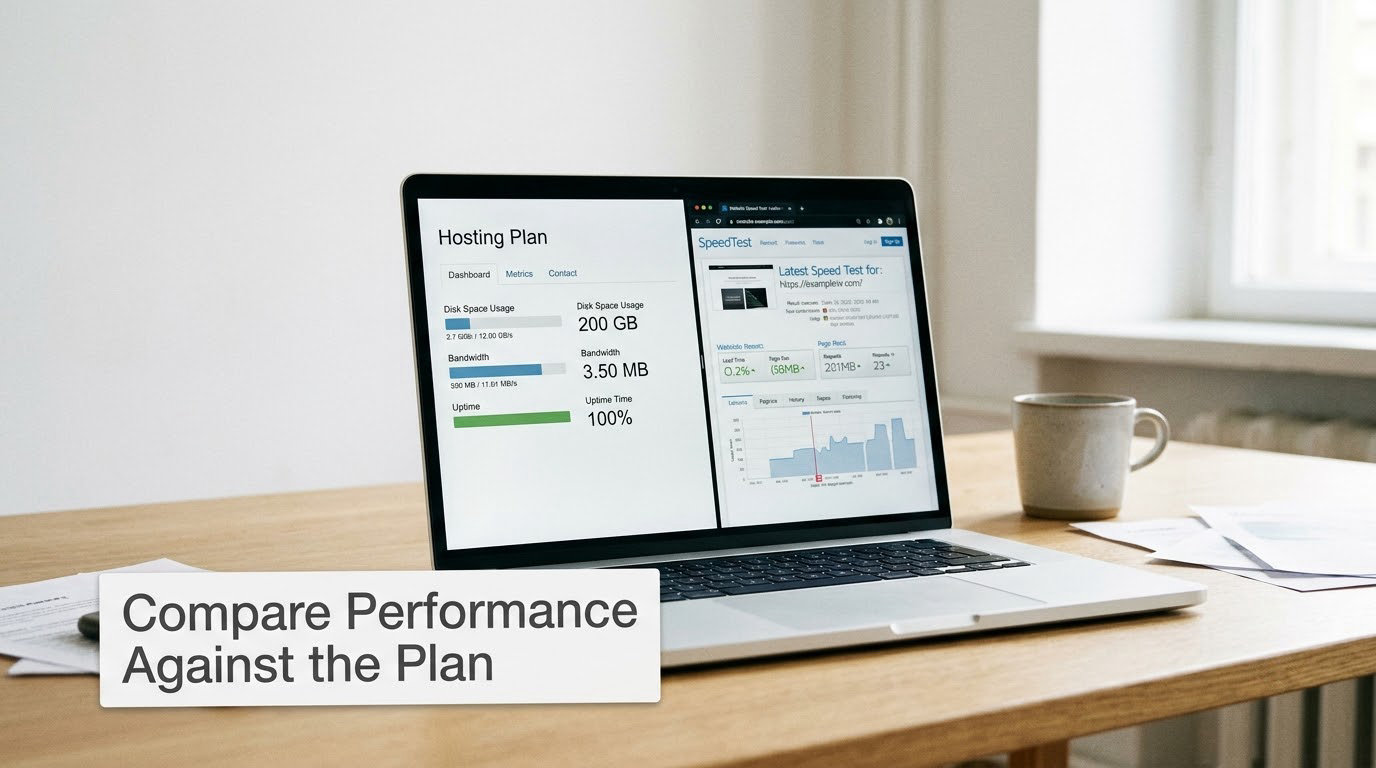
Performance is decided by the server technology and the resource limits printed on the plan page, not by the storage figure in the headline. Shared hosting puts your site on a server with many others; VPS hosting gives you a fixed slice of CPU and memory; managed hosting handles patching and caching for you; dedicated hosting hands you a whole machine.
The four numbers worth reading are the CPU allocation, the physical memory limit, the number of entry processes, and the storage type. A plan advertising “unlimited storage and unmetered bandwidth” is telling you nothing, because every shared server enforces some combination of inode caps, CPU throttling and memory ceilings behind the scenes.
NVMe storage and SATA storage are not interchangeable; the difference shows up directly in database queries and page loads. On a shared plan, page caching handled at the server level usually matters more than the speed of the processor, and a content delivery network in front of the site smooths out the bursty traffic that causes trouble.
A useful shortcut: the cheapest lever is often your page weight. Compressing oversized images and cutting a handful of unneeded plugins frequently removes the sluggishness that people try to fix by buying a larger plan, and it costs nothing.
How to tell it worked: you can state, in one sentence, which limit on the plan your site is most likely to hit first.
4. Check Support, Security, and Backups
Good support is the cheapest thing to check and the most expensive thing to be without. Before you pay, open a pre-sales ticket and ask something specific and technical, for example whether your planned CMS version is supported and what happens if you exceed the memory limit. Time the reply and read it carefully; canned, generic replies that point you at a knowledge base tell you what you will get at 2 a.m. when the site is down.
On the security side, confirm free SSL with automatic renewal, that the host patches the stack, and what malware scanning is included. Some hosts include a dedicated IP or basic DDoS protection as standard, which is worth knowing because those features are frequently sold as paid add-ons.
Backups are where marketing gets loose with the truth. “Free daily backups” says nothing about where the copies are stored, whether your database and uploaded media are included, how long copies are kept, and whether you can restore without opening a ticket. Ask for a self-service restore path, and treat a host that cannot answer as a host you leave.
On uptime, translate the commitment into minutes. A 99.9 percent commitment permits roughly 43 minutes of downtime per month, or about 8.7 hours a year, and its exclusions matter more than the number itself.
How to tell it worked: you know the backup restore path, and you can name what a support reply will look like if you break something in production.
5. Look for Transparent Limits and Renewal Pricing
This is the step that decides whether you are overpaying, and it takes about ten minutes. Find the renewal price on the provider’s own terms or pricing page, not the advertised sign-up rate. If the renewal figure is published nowhere, treat that as your answer: assume it lands well above the promotional rate.
Then do the arithmetic. A widely used sign-up rate is 2.99 a month for the first term. Here is roughly what three years of ownership looks like if the renewal lands where such plans usually land, and if you leave the pre-selected add-ons ticked.
| Period | Hosting | Add-ons left ticked | Period total |
|---|---|---|---|
| Year 1, promotional rate | 2.99 per month (35.88) | 4.49 per month (53.88) | 89.76 |
| Year 2, renewal rate | 12.99 per month (155.88) | 4.49 per month (53.88) | 209.76 |
| Year 3, renewal rate | 14.99 per month (179.88) | 4.49 per month (53.88) | 233.76 |
| Three-year total | 371.64 | 161.64 in add-ons | 533.28 |
| Flat plan at 8.49 per month, same three years | 305.64 | Nothing needed (0) | 305.64 |
The advertised plan finished at roughly 533 dollars for three years. A plan with a flat, published price and no add-ons came to about 306. Nobody was scammed in that example; both plans worked. One was just priced to catch you in a hurry.
Also read the term length. A 36-month commitment looks cheap per month, but it is really a 36-month contract with an exit cost. To know how to pick web hosting without overpaying on a long term, buy the discount only if you are confident the host will still suit you in two years, and check the cancellation and refund policy in writing first.
Finally, read what happens when you exceed the plan: bandwidth overage charges, inode limits, mail sending limits, and whether your account is simply suspended rather than billed fairly.
How to tell it worked: you can write down one total number for three years of ownership before you sign up.
6. Avoid Paying for Features You Do Not Need
Most hosting checkouts come with several add-ons already ticked. Un-tick everything, then add back only what you can name a use for. Typical extras include dedicated IP addresses, extended backup retention, malware scanning, SEO or optimisation plugins, extra mailboxes, and premium control-panel variants.
A dedicated IP is genuinely useful for a store that needs its own mail reputation or an application with strict requirements, and close to useless for a brochure site. Extra mailboxes only matter if you want addresses such as support@ and billing@ on the same domain. SEO plugins sold at checkout are usually the same plugins you can install free later.
Be careful with control-panel variants too. Two plans that look identical may differ only in whether you get cPanel or a stripped-down custom panel, and the custom panel is often slower and easier to get stuck in.
There is a temptation to buy a mid-tier plan in case you grow. Most sites never grow into it, and a mid-tier plan with tight limits is worse than a cheap plan with clear headroom. If you want a cheaper start, hosting a static site on a free platform such as Cloudflare Pages, GitHub Pages or Netlify costs nothing at all and handles a surprising amount of traffic. It only stops being free when you need a database, server-side code or mail.
If your site’s purpose is content rather than software, our guide on making money from a blog without ads is worth a look before you commit to a heavier plan.
How to tell it worked: the checkout summary shows hosting plus your domain, and nothing else.
7. Test Before Committing to a Long Contract
Use the trial period as a test period, not a formality. If the provider offers a money-back guarantee, check how long you have, whether it is pro-rated, and what counts as used. Then sign up on the shortest term available first so that moving later costs you one month rather than a full year.
Before you enter payment details, confirm the billing country and currency, the renewal amount shown at checkout, and whether you are on a promotional term. Screenshot the order summary; support conversations get harder to resolve once the invoice exists.
Once the site is live, do something real. Upload a page with a form, check a backup restores, time a support ticket with a genuine question, and run a load test from a free tool so you see the response time under a burst of traffic. If you are moving an existing site, find out whether the host offers free migration and whether that service covers a site your size, because migration is the biggest hidden switching cost.
And whatever the hosting does, keep your own domain registered at the registrar you chose rather than inside a hosting account, so a hosting problem never becomes a domain problem too. Our piece on setting up a smart TV without cable covers the same idea in a different room: owning the account means you can change the service later without starting over.
How to tell it worked: you sent a real support ticket, got a human answer, and confirmed the renewal date in your account.
8. Choose the Simplest Plan That Meets Your Needs
Score your finalists on the same seven criteria: renewal price, published resource limits, performance, support, security and backups, uptime commitment, and migration terms. Weight the renewal price highest, because it is the only number that repeats.
Then pick the cheapest plan that leaves you headroom, meaning roughly twice the resources your site currently consumes. Headroom is what stops a spike from turning into 503 or 508 resource errors, and those errors are the moment when a bigger plan is genuinely the right answer rather than a reflex.
Buy the annual term once the monthly test has gone well. Providers commonly discount annual billing substantially over monthly, and the discount only matters if you are confident you will stay, which you now are because you tested.
How to tell it worked: you can name, in one sentence, what would trigger your first upgrade and roughly when.
Common Mistakes
- Choosing on price alone. The cheapest plan often runs the oldest hardware and answers support with a script. Compare the renewal price and the limits instead; that is where the real difference sits.
- Confusing the promotional price with the renewal price. Do the three-year arithmetic before you buy. The gap is routinely three to five times.
- Ignoring resource limits. Storage and bandwidth headlines hide CPU and memory ceilings. Read the limits, or you will discover them during your busiest week.
- Buying far more capacity than you use. A bigger plan mostly buys headroom you never touch. Buy for today’s load plus double, not for a future you have not measured.
- Overlooking support quality. Send one pre-sales ticket with a technical question. A deflection to a help article is your answer.
- Skipping migration and backup details. Find out what free migration actually covers and whether you can restore without a ticket. Both are painful to discover later.
- Locking into a 24 or 36 month term untested. A long term is a discount in exchange for an exit cost. Buy it after a month, not before.
- Leaving add-ons ticked at checkout. Un-tick everything, then re-add only what you understand. Preselected extras routinely cost more than the hosting itself.
One more worth adding: check how long the provider has been operating. A brand-new host offering deep discounts is buying a customer base, and the renewal terms are where that cost gets recovered. A host with a long record of published, unchanged renewal pricing is worth a premium of a few dollars a month.
Frequently Asked Questions
How much should I pay for web hosting?
A static site, portfolio or side project can cost nothing on free static hosting. A small blog or business site usually needs 3 to 5 dollars a month for shared hosting with free SSL and daily backups. A managed WordPress build sits around 10 to 15 dollars, and a busy store or VPS starts near 30 dollars. Judge the number by what it looks like on a renewal invoice, not on the promotional rate.
Is shared web hosting enough for a small business website?
For most small business sites under about 5,000 monthly visits, shared hosting is enough, provided the plan publishes real CPU and memory limits. Small business owners often report that oversold shared servers only fail during a traffic spike, which shows up as slow pages or 503 errors. Keep pages light, add caching, and upgrade only when you see a real limit being hit rather than on a hunch.
Should I choose monthly or annual web hosting?
Start monthly, then switch to annual once the plan has proved itself. Monthly billing costs more but lets you leave in a month if support, speed or backups disappoint. Annual billing usually carries a large discount and works well once you have tested, provided the renewal price is published and you can afford the full term. The discount is never worth more than the freedom to leave.
What is the difference between renewal and introductory hosting prices?
The introductory price is a heavily discounted rate that applies only to your first term, often on a 24 or 36 month commitment. The renewal price is the standard rate billed from the second term onward, and it is commonly three to five times higher. Providers advertise the first number because it fits in a headline. To know how to pick web hosting without overpaying, find the renewal figure on the provider’s terms page before you sign up.
Can I switch web hosts without losing my website?
Yes, a site is just files, databases and DNS, so moving hosts is routine. Expect a few hours of work or a longer wait if the new host offers free migration. Export the database and files, import them, then repoint your domain DNS once the new account is ready. Keep the domain registered at your own registrar rather than inside the hosting account, so a hosting change never becomes a domain problem as well.
Conclusion
Start by writing down four things: your real monthly visits, the features your site genuinely needs, your monthly and annual budget, and the renewal price of every plan on your shortlist. Then buy the smallest plan that meets those requirements with room to spare, un-tick every add-on at checkout, and test support and backups on the shortest billing cycle before you commit to a longer term.
The expensive mistake is not choosing a cheap host. It is choosing a host whose real price was never on the page you read.