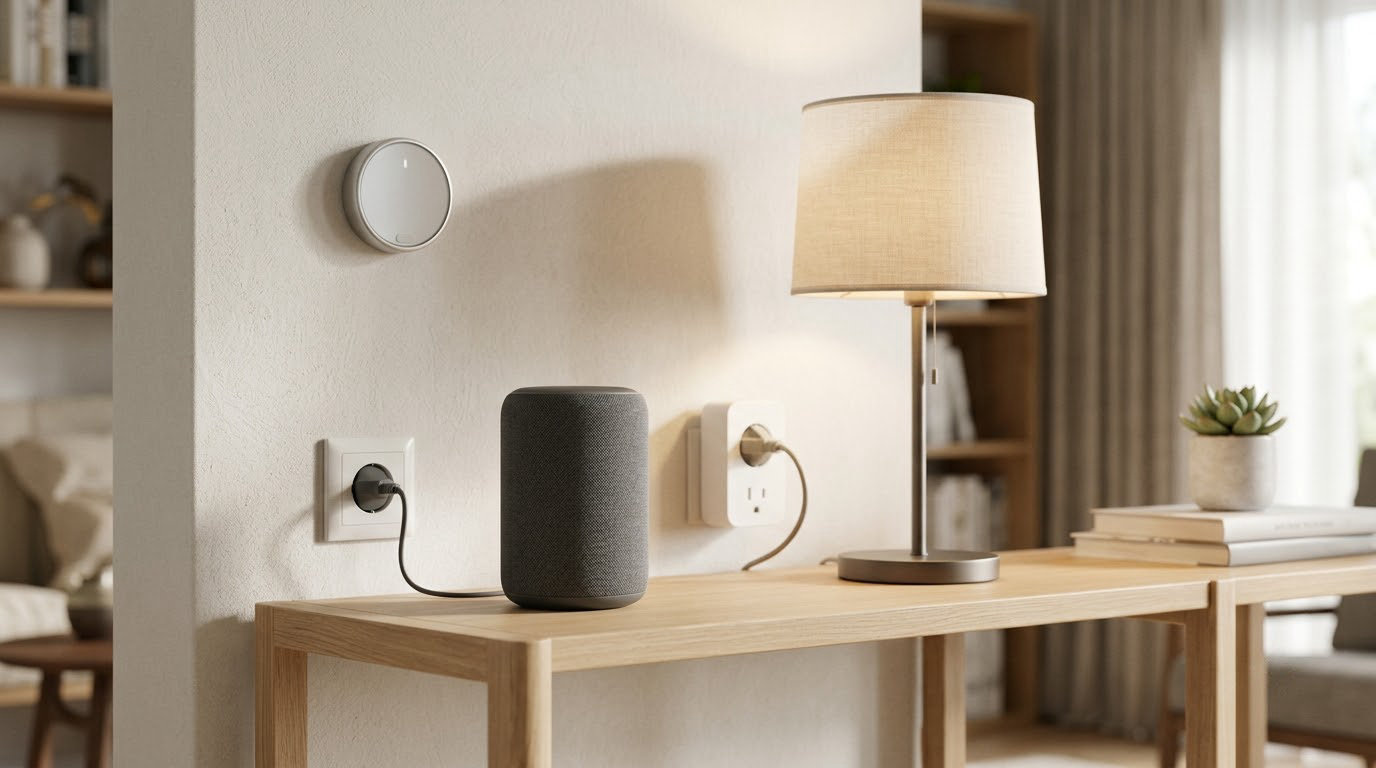
The straight answer is that an individual smart device uses very little, usually between 0.2 watts and a few watts, but every one of them draws continuously. A house with 25 always-on connected devices can easily sit on 50 to 100 watts of background load, which works out to roughly 35 to 70 kilowatt-hours a month. At typical US residential rates that is a few dollars a month, not hundreds.
The bigger question is what the smart devices save. A smart thermostat, smart lighting, and smart plugs that cut phantom loads will usually win that comparison. Cameras, speakers, and hubs do add consumption, and the honest answer depends on which devices you own and how they are set up.
This guide breaks the consumption down by device, shows the arithmetic for turning watts into kilowatt-hours, and explains how to measure what your own home actually pulls.
Table of Contents
- How Much Electricity Do Smart Home Devices Use?
- What Determines a Smart Home Device’s Electricity Use?
- How Much Do Common Smart Home Devices Use?
- How Do You Calculate Monthly Electricity Use?
- Do Smart Devices Use More Electricity Than Regular Devices?
- How Can You Reduce Smart Home Electricity Use?
- How Do You Measure the Power Used by a Smart Device?
- Frequently Asked Questions
- Conclusion
How Much Electricity Do Smart Home Devices Use?

Every connected device does two things at once. It runs its actual job, like turning on a light or streaming video, and it keeps its radio, relay, microphone, and status lights alive so it can answer your app or voice command on demand. The first part is the useful work. The second part is standby power, sometimes called phantom load or vampire power, and it never switches off.
That is why a smart wall switch draws 0.5 to 1.5 watts even when the light is off, and a smart plug pulls roughly the same amount when the appliance it controls is switched off at the wall. A mechanical switch, by contrast, uses no power at all. The smart version trades that zero for the ability to be scheduled and controlled remotely.
Standby numbers look trivial until you run them across 24 hours and across a whole house. One watt running continuously is 0.72 kilowatt-hours per month. Twenty-five such devices are about 18 kilowatt-hours a month, and a setup with cameras, video doorbells, and speakers can run four or five times that.
How much electricity do smart home devices use per month?
For a typical mid-size US home with 20 to 30 always-on devices plus one indoor camera, one video doorbell, a hub, and a smart speaker, the background draw sits somewhere between 40 and 120 watts. That works out to roughly 30 to 90 kilowatt-hours a month, or about 5 to 25 dollars a month depending on your local electricity rate. Homes with multiple exterior cameras and a large mesh network plus a smart TV setup can land higher.
That background number is not the whole bill. Heating and cooling, water heating, and major appliances usually account for the overwhelming majority of household electricity, with small electronics and lighting making up the rest. The point of knowing your smart home draw is that it is measurable, and it is the one slice of your usage you can turn down without changing how you live.
What Determines a Smart Home Device’s Electricity Use?
Device type matters most. A camera with night vision and continuous recording is a different animal from a door sensor that sleeps on a coin cell most of the day. Within a category, the following factors move the number around.
Radio protocol and connection quality. Wi-Fi devices keep a stronger connection to your router than Zigbee, Thread, or Z-Wave devices that only wake briefly to check in with a hub. A weak Wi-Fi signal makes a device transmit harder and longer, so a bulb at the far end of the house can draw noticeably more than the same model near the router.
Always-on features. Status LEDs, microphones waiting for a wake word, screens, and cloud connectivity all add idle draw. Turning off a camera’s audio detection or a speaker’s microphone trims it. Disabling unused features is one of the few free wins available.
Usage frequency. A smart bulb rated 9 watts running 20 minutes a day uses a fraction of the same bulb running 8 hours. Scheduling matters more than any other setting for lighting and small appliances.
Video quality and streaming resolution. A camera recording at 4K with continuous cloud upload works much harder than one recording events only at 1080p. Storage, whether local or in the cloud, changes the load too.
Battery charging. Battery-powered sensors, locks, and doorbells draw no steady power from the grid, but the charging dock or the battery inside them does. Battery locks are effectively zero on the electricity bill.
Hub and network hardware. Hubs, bridges, mesh routers, and range extenders are continuous loads with no useful work to do most of the time, so they are pure overhead in a small home.
How Much Do Common Smart Home Devices Use?

The table below uses typical ranges rather than lab figures, since manufacturers rarely publish idle draw. Monthly kilowatt-hours assume continuous operation for a device that never sleeps, and the cost column assumes 20 cents per kilowatt-hour. Change that rate for your own bill using the method later in this guide.
| Device | Active watts | Standby watts | kWh per month | Cost per month |
|---|---|---|---|---|
| Smart LED bulb (9W equivalent) | 8 to 9 | 0.2 to 0.5 | 0.15 to 0.35 | about 1 to 4 cents |
| Smart plug, load switched off | 0 | 0.5 to 2 | 0.36 to 1.44 | about 7 to 29 cents |
| Smart wall switch | 0.5 to 1.5 | 0.5 to 1.5 | 0.36 to 1.08 | about 7 to 22 cents |
| Smart thermostat | 2 to 4 | 1 to 3 | 0.72 to 2.16 | about 14 to 43 cents |
| Indoor security camera | 4 to 7 | 3 to 6 | 2.2 to 4.3 | about 43 cents to 86 cents |
| Video doorbell | 8 to 12 when recording | 2 to 5 | 1.4 to 3.6 | about 29 to 72 cents |
| Smart speaker | 6 to 10 while playing | 2 to 4 | 1.4 to 2.9 | about 29 to 58 cents |
| Hub, bridge, or Zigbee coordinator | 3 to 7 | 3 to 7 | 2.2 to 5 | about 43 cents to 1 dollar |
| Mesh router or access point | 6 to 12 | 6 to 12 | 4.3 to 8.6 | about 86 cents to 1.72 dollars |
| Smart lock | none, battery powered | none | 0 | 0 |
| Door, window, or motion sensor | none, battery powered | none | 0 | 0 |
| Smart TV, on and streaming | 60 to 150 | 0.5 to 2 | standby about 0.4 to 1.4 | standby about 8 to 29 cents |
| Streaming stick or box | 2 to 7 | 0.5 to 2 | 0.4 to 1.4 | about 7 to 29 cents |
| Robot vacuum, on the dock | 20 to 30 while charging | 1 to 2 | standby about 0.7 to 1.4 | standby about 14 to 29 cents |
| Smart washing machine or dishwasher | 500 to 2000 per cycle | 0.5 to 3 | standby about 0.4 to 2.2 | standby about 7 to 43 cents |
Read the table twice. The first column that matters is standby, because that is what runs 24 hours a day. The second is active, because that is what people actually notice on their bill.
Most people who have actually measured their setup come away surprised at how little the idle gap between a smart bulb and a smart switch is. It is usually somewhere between 0.2 and 1 watt, so even a few dozen devices land in the range of a few dollars a month at US rates. The total is real, but it is not where the money goes.
How Do You Calculate Monthly Electricity Use?
The formula is the same for every device, and it is worth writing down once.
watts multiplied by hours per day, multiplied by days per month, divided by 1000, equals kilowatt-hours
Then multiply the kilowatt-hours by your electricity rate to get a cost. Here are three worked examples.
A smart hub at 4 watts, always on. 4 x 24 x 30 = 2,880 watt-hours. Divided by 1000, that is 2.88 kilowatt-hours a month. At 15 cents per kilowatt-hour it is about 43 cents. At 30 cents it is about 86 cents. The same hub costs less than a single coffee, monthly.
An always-on indoor camera at 5 watts. 5 x 24 x 30 = 3,600 watt-hours, or 3.6 kilowatt-hours. At 20 cents that is 72 cents a month, or a little over 8 dollars a year.
A smart bulb used 20 minutes a day. Here the hours figure is not 24, it is 0.33. So 9 x 0.33 x 30 = about 89 watt-hours, which is 0.09 kilowatt-hours a month. Almost nothing. Add its 0.3 watt standby and you get roughly 0.22 kilowatt-hours, still under a nickel a month.
Devices that cycle on and off, such as a robot vacuum charging for an hour and a day, need a slightly different approach. Multiply the charge wattage by the number of hours it actually runs, then add the dock’s standby. The result is a fraction of a kilowatt-hour, which tells you something useful about where the real drain is.
Do Smart Devices Use More Electricity Than Regular Devices?
Individually, almost always yes. A smart bulb with a radio and driver in it draws a few tenths of a watt more than the same LED without them, and a smart switch draws 0.5 to 1.5 watts where a mechanical switch draws zero. Cameras, speakers, and hubs do not exist in a non-smart version at all, so they are pure addition.
At the household level, the opposite usually wins. Well-run programs that add connected controls alongside efficient lighting and thermostat scheduling tend to report lower total consumption than comparable homes without them, though the gap narrows in homes that were already efficient or that heat with gas rather than electricity. A learning thermostat is the single biggest contributor, and energy agencies commonly put its heating and cooling savings in the range of 10 to 15 percent. Smart lighting cuts far more than that when it replaces incandescent or halogen bulbs, since the comparison is against a 60 watt filament bulb, not another LED.
Smart plugs and power strips pay for themselves by cutting phantom loads from entertainment equipment, desk setups, and kitchen appliances. A TV, game console, and soundbar on standby can add up to more standby watts than every sensor, lock, and speaker in the house combined, so switching that one outlet off often erases the entire smart home background draw.
The honest summary: smart devices consume a small amount of power themselves, and the correct question is whether the automation you set up is offsetting that. If you install sensors and never write a routine, you are adding load. If you schedule your lights, trim your heating, and cut standby at the plug, you are subtracting much more than you add.
How Can You Reduce Smart Home Electricity Use?
Work through these in order, from easiest to most involved.
Kill standby at the source. Put entertainment centers, desk setups, and rarely used appliances on a smart plug or switched power strip, and turn that off on a schedule. This is where the real savings live, and it takes minutes.
Schedule your hubs and extra network hardware. A hub or bridge that nobody needs at 2am can be switched off overnight if your automations allow it. Test carefully first, because cutting a hub can break schedules that depend on it.
Turn off features you do not use. Disable audio detection on indoor cameras, turn off status LEDs where the settings allow it, and switch off continuous recording in favor of motion or event recording. Firmware updates sometimes trim idle draw as well, so keeping devices updated is worth the five minutes.
Fix your Wi-Fi coverage. Devices that struggle to reach the router burn more power transmitting. Better router placement or a properly placed mesh node usually drops idle draw and improves reliability at the same time.
Choose the right protocol. Zigbee, Thread, and Z-Wave end devices sleep between check-ins and cost almost nothing to keep alive. Wi-Fi bulbs that never sleep are the opposite case. For sensors especially, a hub-based protocol beats direct Wi-Fi.
Lower streaming quality on cameras. Dropping from 4K to 1080p cuts both the camera’s processing and the network traffic. If you use local storage rather than cloud, the radio does less work too.
Schedule lights and set schedules that match real life. This is where the biggest single-device savings appear, since lighting is one of the few categories where the smart version can beat an efficient manual one by a wide margin.
One honest caveat: the monitoring hardware you buy to track all this also draws standby power. A smart plug with energy monitoring typically adds about 0.5 to 1 watt of its own. It is worth it for the data, but it means your measurement point is never a perfect zero.
How Do You Measure the Power Used by a Smart Device?
Manufacturer figures are almost never published for standby, so measuring is the only way to get a real number for your own gear. Four methods work, in increasing order of detail.
Plug-in energy meter. The simplest option and the one most people should start with. Plug the meter into the wall, plug the device into the meter, and read the instantaneous watts. Cost is a few dollars and it covers one device at a time, which is exactly what you want for a quick audit.
Smart plug with energy monitoring. This gives you watts plus accumulated kilowatt-hours, and most apps keep a history you can export. Best for measuring a whole power strip at once, and it logs over days rather than seconds, which is what you need to catch a device that spikes only at certain times.
Clamp meter. A clamp meter around a single conductor measures current without unplugging anything, so it works on hardwired things like thermostats and in-wall switches. It reads amps rather than watts, and to get watts you multiply amps by volts in your country, which is about 120 in the US.
Smart breaker or panel monitor. Installed at the panel, this splits your whole home into circuits and shows you which one is carrying the background load. It is the most useful tool for the question that matters, which is where your always-on watts are actually hiding, and it is also the most involved to set up.
Your utility’s own smart meter dashboard is worth checking too. Many now show hourly or even 15-minute interval usage, which is enough to spot a constant baseline and confirm it is still there a week later. It will not tell you that 40 watts come from three video doorbells, but it will confirm the total.
Two things to keep in mind. An instantaneous reading tells you what a device is drawing right now, while a kilowatt-hour total tells you what it cost you over a month, and only the second one matters for your bill. And whatever you plug in to measure, measure it the same way for a full day before drawing conclusions, because devices that stream or charge on a schedule behave very differently at 3pm and at 3am.
Frequently Asked Questions
Do smart devices use a lot of electricity?
Not on their own. Most connected devices draw between 0.2 and a few watts, and a typical 25-device home sits on 50 to 100 watts of background load, roughly 35 to 70 kilowatt-hours a month. Cameras, video doorbells, and mesh network hardware push that higher. The bigger energy story is what those devices save you, not what they consume.
Do smart plugs use electricity when off?
Yes. A smart plug typically draws 0.5 to 2 watts whether the appliance it controls is on or off, because the plug still keeps its radio alive so your app can reach it. The appliance itself, once switched off, draws nothing from the plug. That small always-on figure is why a smart plug cannot remove the standby load of the device plugged into it.
How much power does a smart bulb use in standby?
Usually 0.2 to 0.5 watts when switched off at the wall, with the driver and radio still powered so the bulb can respond to a command. That works out to about 0.2 kilowatt-hours a month, or a few cents. A conventional LED of the same brightness draws no standby power at all, since it has no radio to keep alive.
How much electricity does a smart thermostat use when idle?
Roughly 1 to 3 watts, so around 0.7 to 2.2 kilowatt-hours a month, or a few tens of cents. That overhead is trivial next to what the thermostat controls, since learning models commonly cut heating and cooling consumption by 10 to 15 percent. The device is essentially paying cents to save dollars.
Why is my smart meter showing usage when nothing is running?
Because something is running: standby electronics, a router, an always-on television, a DVR, or a charger left connected. A typical US household carries a background load of tens of watts from devices people rarely think about. The meter is reporting accurately, but it reports the whole home rather than individual appliances, which is why the reading feels mysterious.
How much does a video doorbell use per month?
Most draw 2 to 5 watts on standby and 8 to 12 watts while actively recording, which works out to roughly 1.4 to 3.6 kilowatt-hours a month, or about 30 to 70 cents at 20 cents per kilowatt-hour. If yours streams continuously to the cloud rather than recording events, expect the higher end of that range or slightly above.
Conclusion
Start by finding your always-on equipment rather than your smart equipment. List the devices that stay plugged in continuously, read the wattage printed on each label, and run the formula: watts multiplied by 24 hours multiplied by 30 days, divided by 1000. Rank the results from largest to smallest.
That ranking is the whole exercise. The devices at the bottom, sensors, locks, and a few switches, will never be worth your time. The ones at the top, cameras, video doorbells, a mesh network, and any television left on standby, are where the savings and the monitoring effort belong. Cut the largest continuous loads first, then check your utility’s hourly usage data a week later to confirm the baseline actually moved.