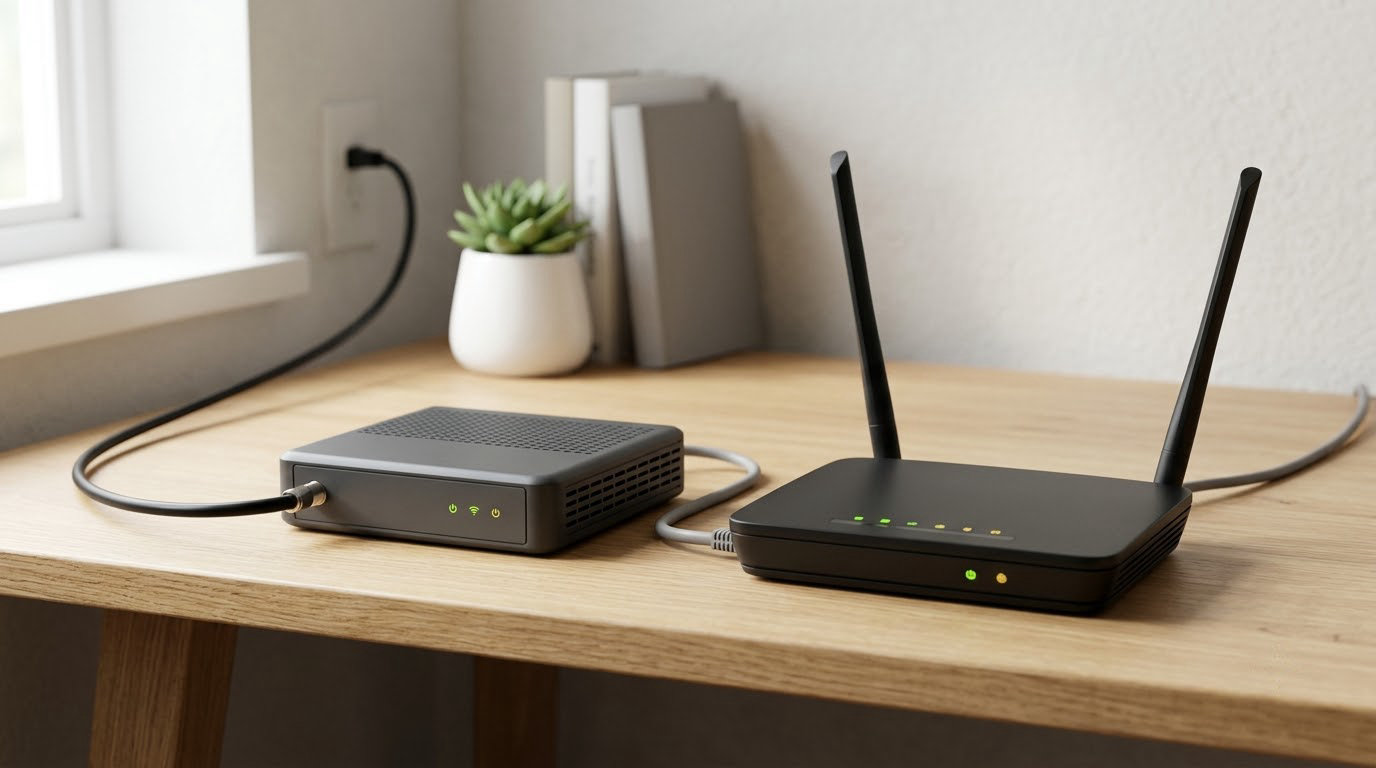
A modem connects your home to your internet service provider by translating the provider’s signal into data your devices can use. A router takes that connection and splits it across your devices, adding Wi-Fi, private addresses, and basic security. The modem vs router question — what is the difference, and do you need both — comes down to those two sentences. Most households end up needing both, usually as one combo box the provider calls a gateway.
The confusion is mostly terminological. “Router” used to mean a wired box with no wireless built in, and “modem” sounds like a relic from the dial-up era. Neither word describes what you actually own anymore.
Table of Contents
- Modem vs Router: What Is the Difference and Do You Need Both? at a Glance
- What Does a Modem Do?
- What Does a Router Do?
- How Do a Modem and Router Work Together?
- Do You Need Both a Modem and a Router?
- How to Tell Whether You Already Have Both
- Modem vs Router: Which Device Should You Choose?
- Frequently Asked Questions
- Conclusion: Check Your Ports Before You Buy
Modem vs Router: What Is the Difference and Do You Need Both? at a Glance

Here is the whole comparison on one screen. If you can identify your box from the left column, you already know what you own.
| Criterion | Modem | Router | Gateway (modem and router in one) |
|---|---|---|---|
| What it connects to | Your internet service provider’s line | Your own devices | Both |
| Network it belongs to | Wide area network (WAN) | Local area network (LAN) | Both |
| IP address it uses | A public IP address from the provider | Private IP addresses it assigns to each device | Both |
| Creates Wi-Fi | No | Yes, on most modern models | Yes |
| Physical ports | Coax, phone line, or fiber | Ethernet and sometimes a switch | Both |
| Built-in firewall and parental controls | Rarely | Almost always | Usually, but simplified |
| Upgrade one piece later | Hard to replace with a provider-approved model | Easy, any brand works | Replaces both at once |
| Single point of failure | You lose internet | You lose Wi-Fi but wired devices may stay online | You lose everything |
What Does a Modem Do?

A modem converts the signal arriving on your provider’s line into digital data, and the name is just a contraction: modulator-demodulator, meaning it modulates one form of signal into another and back again.
Every internet connection reaches your building as something other than ordinary computer data. Cable arrives as radio-frequency signals on a coax cable. DSL arrives as high-frequency phone-line signal. Fiber arrives as light. A modem is the box that turns any of those into a standard Ethernet stream that other hardware can read.
Which kind of modem do you have?
- Cable modem plugs into a coax wall outlet. Common on providers such as Comcast and Spectrum, and it is the usual box in most US homes.
- DSL modem uses a phone line or a pair of copper wires. Slower than cable, but it reaches places cable does not.
- Fiber rarely needs a traditional modem. The provider installs an optical network terminal, or ONT, which converts light into Ethernet and is usually mounted on the wall.
One thing a modem does not do, on its own, is hand out a network to your devices. It gets you online. That is the entire job.
What Does a Router Do?
A router builds a local network. It gives each phone, laptop, television, and smart device a private IP address, keeps them talking to each other and to the internet, and hides them behind the single public IP address your provider assigned to the modem.
Modern routers also broadcast the Wi-Fi signal, run a basic firewall, and offer parental controls and guest networks. Most assign addresses automatically through DHCP, which is why you never have to type an address to get online.
A router works perfectly well without an internet connection. You can browse between your own devices, print, and share files on a LAN with no modem attached at all. It just cannot reach anything outside your house.
Modem vs router vs gateway: what the gateway actually is
A gateway is not a third device. It is the provider’s marketing word for a modem and router built into one box, which is why asking whether a gateway is the same thing as a modem gets such confusing answers online.
How Do a Modem and Router Work Together?
The path is short once you see it as a chain. Signal comes down the line, gets translated, then gets split and delivered.
- The line enters your building at a wall outlet, coax jack, or fiber entry point.
- Your modem connects to that outlet and converts the incoming signal into Ethernet data.
- An Ethernet cable runs from the modem’s LAN port into the router’s WAN or Internet port. This is the step people most often get wrong.
- The router hands each device a private address and sends traffic out through the modem.
- Your laptop, phone, smart TV, and game console now share one connection over Ethernet or Wi-Fi.
Should Ethernet go into the modem or the router?
Into the router, in almost every case. Plugging a computer straight into the modem gets you online, but there is no firewall, no address assignment, and usually only a couple of ports, so a second device has nowhere to go.
Forum debate on this one runs long because the modem connection is genuinely lower latency for a single machine. In practice that difference is measured in fractions of a millisecond and not worth losing the rest of the network over.
Do You Need Both a Modem and a Router?
Most people asking the modem vs router question are really deciding whether to buy one box or two. You need a modem for any internet access. You need a router only if you want Wi-Fi or more than one device online at a time, so the honest answer is that most homes want both and a single-device apartment can skip the router.
- One wired computer can connect straight to a modem and be done.
- A couple of devices with Wi-Fi means you want a router, or a gateway that does both jobs.
- Several rooms and many devices means you want a better router, and probably a mesh system if the building is large.
- A home office doing video calls cares about wired speed for the desktop and stable Wi-Fi on the rest.
Using your own router with a provider gateway
Yes, and plenty of people do. Plug your router into an unused LAN port on the gateway and it works right away, but now two devices are translating addresses, a setup called double NAT.
Most online activity never notices. Online games, some VPNs, and anything that forwards ports do notice, and troubleshooting goes in circles. Putting the gateway into bridge mode passes the connection straight through and removes the second translation layer. Your provider’s app or support line can switch it on.
How to Tell Whether You Already Have Both
Start with the label on the bottom or back. Providers often print the model number, and the word gateway, gateway modem, or the provider’s own brand name usually means both functions live in one box.
Then count ports. Four or more Ethernet ports of the same size usually mean a router is inside. A single Ethernet port plus a coax or fiber connection usually means a modem alone.
Look for the Wi-Fi network name printed on a label. A device that broadcasts a network is a router or a gateway, not a bare modem.
Finally, open your network settings. If the device shows a WAN or Internet connection type and a public IP address, that is the modem side.
Telling a modem fault from a router fault
Unplug the power from both and restart them, modem first, waiting until its status lights settle before powering the router.
Connect one laptop by Ethernet directly to the router. If it reaches the internet, the router is fine and the problem is Wi-Fi coverage or configuration. If it does not, connect to the modem instead. Online there means the router is at fault. Still offline means the modem or the line is, and the provider should be your next call.
Modem vs Router: Which Device Should You Choose?
Choose based on what you are missing, not on which device feels more important. The modem decides what your connection can do. The router decides what your home does with it.
- Apartment, one or two rooms — a provider gateway usually covers it.
- Large house with dead zones — keep the modem, spend on mesh nodes rather than a faster modem.
- Small business or shared office — separate devices, so you can replace the router without touching the connection.
- Fiber — the ONT is usually required, so the router is the part you shop for.
One persistent belief deserves clearing up: a better router cannot make your internet faster. If your plan delivers a certain speed, that is the ceiling. Routers affect the speed and reach of Wi-Fi inside your home, nothing upstream.
Placement matters more than most people expect. The router works best in an open, central spot, and a few hundred feet of Ethernet cable is not a problem, so the two boxes do not have to sit side by side. If you still have gaps, a mesh system beats an extender, which usually just moves the weak signal around.
Renting from the provider costs a monthly fee that adds up over years, and buying your own modem requires checking that your provider supports the model first. People upgrading from a rented gateway should check that compatibility list before anything else.
Frequently Asked Questions
Do I need both a router and a modem for internet?
You need a modem to have internet at all, because it is the device that connects your home to your provider’s line. You need a router only when you want Wi-Fi or more than one device connected at the same time. Most households end up with both, either as two separate boxes or as a single gateway that combines them.
Does a router provide internet without a modem?
No. A router can run a local network on its own, so devices can share files, print, and see each other without any internet access. What it cannot do is reach anything outside your house, because the connection to your provider’s network is what the modem provides.
Does Wi-Fi come from a router or a modem?
Wi-Fi comes from the router, or from the gateway box if your provider supplied a modem and router combo. A plain modem has no radio and broadcasts nothing. That is the single clearest way to tell which device is which: turn the Wi-Fi on and see which box it came from.
Is a gateway the same thing as a modem?
Not exactly. A gateway is a modem and a router combined into one box, and it is a term providers use to describe the unit they install. It does everything a modem does, plus it creates a local network and broadcasts Wi-Fi, which a standalone modem does not.
Should Ethernet go into the modem or the router?
Plug Ethernet into the router for normal use. Connecting a computer directly to the modem gets you online but skips the firewall and address assignment, and usually leaves you with too few ports for a second device. That direct connection can shave a tiny amount of latency, which is rarely worth the trade.
Does fiber internet need a modem?
Not in the traditional sense. Fiber uses an optical network terminal, or ONT, which converts the light signal into Ethernet. The ONT is normally installed and owned by the provider, so with fiber you are mainly choosing a router rather than a modem.
Conclusion: Check Your Ports Before You Buy
Modem vs router comes down to one job each. The modem owns your connection to the provider. The router owns the network inside your home, including Wi-Fi. Get the label off the box your provider gave you and check whether it broadcasts a network and how many Ethernet ports it has.
If it does both, you already own the answer. If it only translates the signal, buy a router and stop there. Check the current compatibility list your provider publishes before purchasing a modem of your own, and if something breaks, the direct-Ethernet test above will tell you which box to blame.