
To write a resume that passes applicant tracking systems, keep it in a single column, label sections with standard headings, place your contact details in the body text, and mirror the exact wording from the job description for skills you can actually evidence. Roughly 98% of Fortune 500 companies run some form of ATS, so the parser matters even when your experience is genuinely strong.
The part most advice gets wrong is the framing. An applicant tracking system does not sit there deciding who is worthy. It extracts structured fields from your document, stores them, and ranks applicants against the criteria a recruiter entered. You are competing for a position in a search result list, and gate two is a person reading what came back.
This guide walks through the whole process in order: what to gather first, the seven build steps, what to check before you hit submit, and the handful of formatting choices that quietly break parsers. Last reviewed for 2026, and every suggestion here is something you can do in Google Docs or Word without buying a tool.
Table of Contents
- What You Need
- Step-by-Step: How to Write a Resume That Passes Applicant Tracking Systems
- Step 1: Read the Job Description and Extract the Right Keywords
- Step 2: Choose a Simple Resume Format
- Step 3: Use Clear, Job-Specific Resume Sections
- Step 4: Write Bullet Points That Show What You Did
- Step 5: Add a Skills Section That Matches the Role
- Step 6: Tailor the Resume Without Copying the Job Description
- Step 7: Save, Check, and Review the Resume
- Common Mistakes
- Frequently Asked Questions
- Do applicant tracking systems automatically reject resumes?
- What file format is best for an ATS resume?
- How many keywords should I put in my resume?
- Can I use a resume from Canva in an ATS application?
- Does a cover letter need to pass applicant tracking systems?
- How should I handle employment gaps in an ATS resume?
- Conclusion
What You Need

You need very little, and none of it costs anything. Here is the full list before you open a blank document.
- The job description, saved. Not a link you plan to reopen. Save the page as a PDF or paste it into a doc so you can search it for repeated terms later.
- Your existing resume, any format. Even a two-column one built in a design app. You are rewriting the content, not starting from nothing.
- A keyword list you can defend. Twenty terms you have real evidence for beats sixty terms you grabbed to game a score.
- A blank Word or Google Docs file. Both save as .docx by default, and both are readable by every major platform.
- Ten quiet minutes for the copy-and-paste test. This is the free verification step that no paid checker sells you, and it comes at the end.
That is the whole kit. If you skip the saved job description, you will end up writing a generic resume and call it tailored, which is the single most common reason people get filtered out despite being qualified.
Step-by-Step: How to Write a Resume That Passes Applicant Tracking Systems
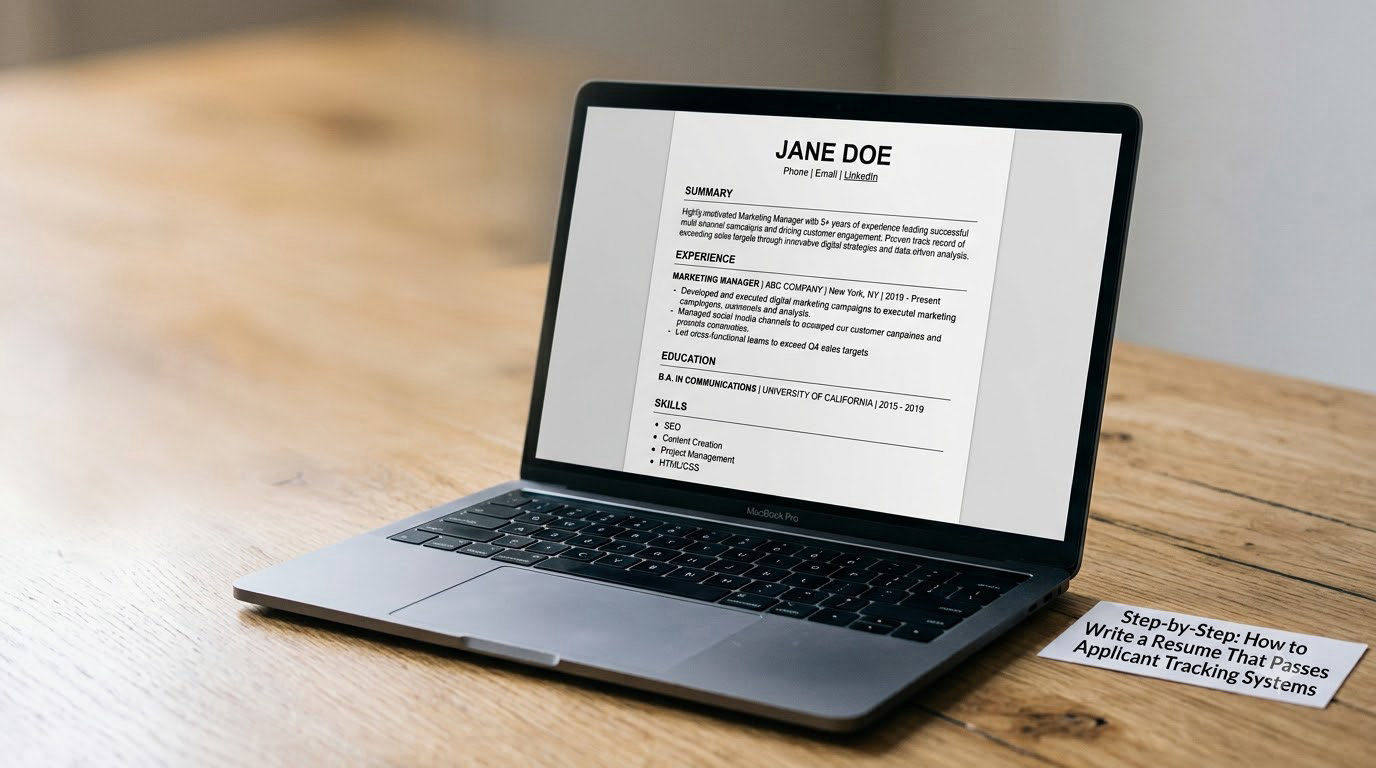
Seven steps, in this order. Each one assumes the one before it is finished, which matters because the keyword list you build in step one shapes everything after it.
Step 1: Read the Job Description and Extract the Right Keywords
Start by reading the posting twice. The first pass is for meaning: what does this person actually do all day, and which of my jobs is the closest match? The second pass is mechanical, and this is the routine.
- Circle the required qualifications. These are usually a bulleted or numbered list. Every tool named there is a candidate keyword.
- Underline the verbs in the responsibilities section. Managed, built, migrated, analyzed, negotiated. Recruiters often search on these too, and they tell you how to open your bullet points.
- Note repeated phrases. If the posting says Salesforce three times, that is not an accident. Use the same three times where it is truthful.
- Pull the acronym and its full form. If the posting writes “customer relationship management (CRM)” and you only write CRM, a boolean search for the full phrase may not match you.
- Cross out anything you cannot evidence. This is the important one. If the posting asks for Kubernetes and you have never touched it, it comes off the list, permanently.
Columbia’s career education office makes the same point in shorter form: use exact phrases from the job description, and only abbreviate a term if the posting abbreviates it too.
One expert detail worth stealing: some ATS platforms read a skill mentioned in a job description as inheriting the years of experience stated for that skill. In other words, if the posting asks for five years of SQL and you write SQL in your skills section with no context, the system may score you as a five-year SQL person. That cuts both ways, so attach real dates to every skill you list.
Step 2: Choose a Simple Resume Format
Use one column, flush left, with standard section headings and a plain bullet character. That is the format that parses cleanly, and it is not an aesthetic preference, it is a compatibility requirement.
| Element | Use this | Avoid this |
|---|---|---|
| Layout | Single column, flush left | Two or three columns, sidebars, floating text boxes |
| Contact details | Name, email, phone, city in the body | Header or footer, graphics, icons |
| Headings | Work Experience, Skills, Education | Invented labels like My Journey or What I Bring |
| Fonts | One sans-serif or serif family, two sizes | Six typefaces, all-caps headings, colored body text |
| Bullets | Standard round or dash bullets | Custom symbols, images, emoji |
| Dates | Mon YYYY to Mon YYYY, one format throughout | Mixed formats, “present,” no end date |
| Tables and charts | None | Skill bars, pie charts, rating graphics |
| File type | .docx, or a text-based PDF when required | Scanned PDF, image-only file, .pages or .rtf |
Headers and footers deserve a specific warning because they are the most commonly repeated mistake. Many parsers ignore anything in a page header or footer entirely, so a resume with your email there can end up in the database with no way to contact you.
There is a related parser bug worth knowing about: credentials placed next to your name, such as “Jane Doe, CPA” or a PhD designation, sometimes get merged into the name field by certain systems. Put credentials after your name on a separate line, or move them to the education section where they belong anyway.
Designing for accessibility while you are in there is not wasted effort either. If you ever export a version with images, write the alt text properly, the way we explain in how to write alt text for images that helps SEO. It takes the same five minutes whether the resume is for a parser or a person with a screen reader.
Step 3: Use Clear, Job-Specific Resume Sections
Five sections in this order cover almost every professional role: contact details, a short summary, work experience, skills, education. Recruiters expect that sequence, and parsers tag content by matching it.
Within the experience section, go reverse-chronological. Most recent role first, and within each role, most relevant bullets first. Use one consistent date format throughout the entire document, including education, because mixed formatting is a common source of misparsed date ranges.
Keep the summary to two or three lines and make it specific to this posting. “Detail-oriented professional with strong communication skills” tells a parser nothing and tells a recruiter less. “Operations coordinator with four years in freight scheduling and EDI onboarding” gives both of them something to match against.
For career changers, a hybrid format beats a functional one. A functional resume groups by skill with no dates or employers attached, and when the parser pulls your work history it often finds nothing to attach those skills to. A hybrid keeps reverse-chronological experience and moves the skill emphasis into the summary and skills sections.
Step 4: Write Bullet Points That Show What You Did
A bullet should carry an action verb, enough context to place the work, and a result. Three parts, one line, no orphan phrases like “Assisted with reporting.”
Before: “Responsible for handling customer inquiries and processing returns.” After: “Resolved 40+ weekly customer return requests in Zendesk, cutting average handling time from 22 minutes to 14.”
The second version works for a specific reason: it names the tool, the volume, and the outcome, and a boolean search for “Zendesk returns” now finds you. It also survives a recruiter’s ten-second scan, which the first version does not.
Only use numbers you can defend in an interview. Inventing a percentage is the fastest way to lose a job you would otherwise have gotten, and a number that looks too round, like “improved efficiency by 100%,” reads as filler to anyone paying attention.
Step 5: Add a Skills Section That Matches the Role
Group your skills so they mirror how the posting groups them. A technical role usually wants tools and platforms listed separately from professional competencies. An operations role usually wants process names, then systems, then soft skills.
Write each term exactly as the posting writes it. If it says “Microsoft Excel,” do not write “MS Excel” in one place and “Excel” in another. Boolean search is literal, and near-misses frequently return nothing.
Separate what you use from what you have touched. A short line grouping genuinely current tools, followed by a line for platforms you have used in the past, keeps you honest and still gets the keywords into the text layer where the parser can read them.
Step 6: Tailor the Resume Without Copying the Job Description
Tailoring means reordering and reframing what already happened, not pasting the posting into your bullets. The routine is short: read your keyword list, pick the three to five that matter most for this employer, and rewrite the bullets that touch those areas so the terms appear naturally inside your own sentences.
Most of the time that is a matter of emphasis. If you did the work but led each bullet with the admin task instead of the outcome, the same facts reorder into something that reads as a match.
Do not add a skill because the posting mentions it. Keyword padding is the one tactic that reliably backfires: recruiters spot it in seconds, and ATS parsing rules at several major platforms explicitly detect white or hidden text used this way. The people who need help with a legitimately empty skill section need a hiring manager, not a clever font trick.
Step 7: Save, Check, and Review the Resume
Name the file with your name, the role, and the company, like “DanaReyes-Operations-Manager-Northwind.docx.” Then check it before you upload.
The free parsing test: open your saved file, select all the text, copy it, and paste it into a plain text editor such as Notepad. Read it top to bottom. If anything is scrambled, doubled, missing, or out of order, the parser will see the same mess you do. This costs nothing and it is the single most reliable check available without paying for a tool.
If the paste looks clean but the layout looks wrong, export a PDF from Word using the text-based option, not print-to-image. A scanned PDF is effectively a photograph of your resume, and no parser reads it well.
Platforms do differ. Workday is the one developers complain about most, and its parser is sensitive to anything that smacks of a layout, so its postings are the ones where plain is non-negotiable. Greenhouse and Lever lean on recruiter search over automated scoring, which means your exact phrasing matters more than your font. iCIMS and Oracle Taleo sit somewhere between, with heavier keyword weighting on the application form fields. The safe move is to assume the strictest one, because you cannot control which portal a recruiter uses.
One objection comes up constantly: most portals make you retype your work history into their own fields anyway, so why bother formatting anything. The answer is that the form fields are not the only thing stored. Your uploaded file is parsed and indexed too, and it is what a recruiter sees when they open your record. Fill in every field, including the optional ones, and treat them as a second copy of your resume rather than a nuisance.
Finally, read it aloud once, check your phone number and email twice, and confirm every date range against what you actually worked. Then submit.
Common Mistakes
These are the errors that cost interviews, in rough order of how often they cause them.
Two-column and sidebar layouts. Parsers read top to bottom and frequently merge or drop side-by-side content. Rebuild in one column before you do anything else.
Contact details in a header or footer. Often invisible to the database. Put them in the body of the document where any parser will find them.
Invented section headings. “Career Highlights” or “My Superpowers” are not labels the system knows. Stick to Work Experience, Skills, Education, and Certifications.
Graphics, skill bars, and charts. A rating bar out of five carries no text the parser can extract, so you lose the claim entirely. Type it instead.
Keyword stuffing or hidden white text. It reads as manipulation, it is detectable, and it is a fast disqualification. There is no version of this that works.
Ignoring the application form. Many recruiters filter on form fields before they ever open a file. Complete every field, including optional ones, and write the meta description of your online presence with the same care we cover in how to write a meta description that gets clicks.
Trusting a match score too much. Different tools return wildly different numbers for the same file, Jobscan and Grammarly being the usual example people complain about on r/resumes and r/jobhunting. Each one weights exact phrase matches, synonyms, and formatting differently, and none of them is the employer scoring you. Treat the number as a rough signal, not a verdict, and chase the missing terms it names only when you can back them up.
Treating the ATS as the only gate. A perfect parse gets you into the list. It does not get you the interview. The recruiter screen is real and fast, so the summary and the first bullet on your most recent role still have to earn attention on their own.
One last optimization tip: run the copy-and-paste test before every submission rather than once a month. It takes under a minute, and it is the only check that tells you what the parser actually sees instead of what a checker guesses.
Frequently Asked Questions
Do applicant tracking systems automatically reject resumes?
Usually not in the way people fear. A typical system parses, stores and ranks applications, then hands a recruiter a sortable list. Some employers do set filters or auto-advance thresholds, so a resume can be filtered without review, but the common complaint online overstates this. Treat the ATS as a ranking gate you pass by being parseable and relevant, then focus on the human read that follows.
What file format is best for an ATS resume?
Save as .docx unless the posting explicitly asks for a PDF. Word and Google Docs both produce .docx by default and every major platform reads it reliably. When a PDF is requested, export a text-based PDF from Word rather than printing or scanning, because scanned pages are images and the parser often cannot extract them. Avoid .rtf and .pages files, which older parsers handle poorly.
How many keywords should I put in my resume?
Enough to cover the requirements you can genuinely evidence, usually 15 to 25 for a mid-level role. There is no magic number, and stuffing hurts readability without reliably improving a score. Pull terms from the required qualifications, use each one where it fits naturally in a bullet, and mirror the posting’s exact spelling. If a keyword only appears in your skills list with no supporting bullet, expect a recruiter to probe it.
Can I use a resume from Canva in an ATS application?
Only if you export it as a plain .docx or a text-based PDF after checking the parse. Canva’s default exported PDF is image-based and many parsers read almost nothing from it, while the two-column graphic layouts in those templates scramble field order. A simple design built in Word or Google Docs satisfies most applicants. If you want visual polish, keep it to font choices and spacing rather than columns, charts, or text boxes.
Does a cover letter need to pass applicant tracking systems?
Usually yes, because most portals parse the cover letter the same way they parse the resume and index it for keyword search. Keep the same habits: single column, standard text, no header or footer graphics, and the same exact job description terminology you used in the resume. A separate document will not be saved if it is uploaded as an image-based PDF, so export it from Word instead.
How should I handle employment gaps in an ATS resume?
List them plainly in the date range instead of leaving a hole, which a parser reads as missing data. A short line noting what you did, such as caring for a family member, completing a certification, or freelancing, gives the system text to index and gives the recruiter something honest to read. Long or recent gaps are far more often discussed in the interview than penalized at the parsing stage.
Conclusion
Start with the job description: save it and build your keyword list, crossing out anything you cannot defend. Then open a blank Word or Google Docs file, single column, standard headings, contact details in the body, and write bullets that name a tool, a number, and an outcome.
Save it as .docx under a clear file name, paste the whole thing into a plain text editor to confirm the parser will see it cleanly, and proofread once before you submit. That whole routine takes about an hour and it covers nearly everything the ranking actually cares about.